discipline
UI/UX
Industry
Food & Sustainability
TEAM


BACKGROUND
FOOD WASTE IS A SYSTEMIC PROBLEM.
The global food system — spanning production, distribution, and consumption — has far-reaching environmental and social consequences. At its core lies a critical inefficiency: food waste. This issue contributes to nearly 8–10% of global greenhouse gas emissions while placing additional strain on land, water, and energy resources.
30-40% OF THE FOOD SUPPLY IS WASTED.
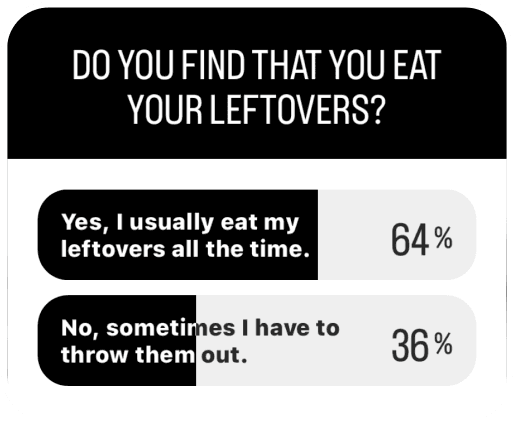
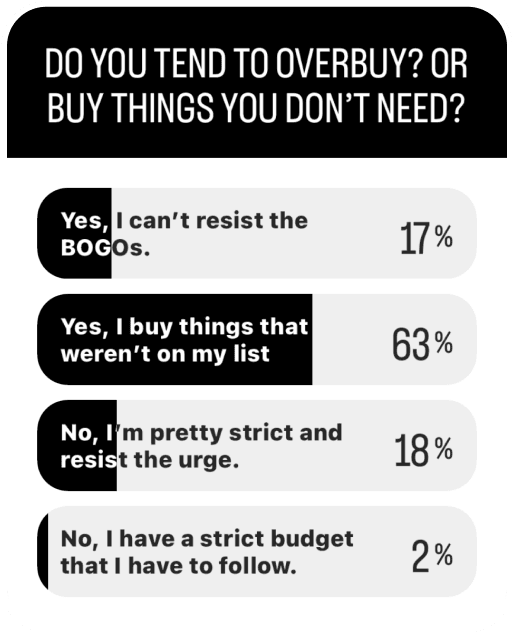
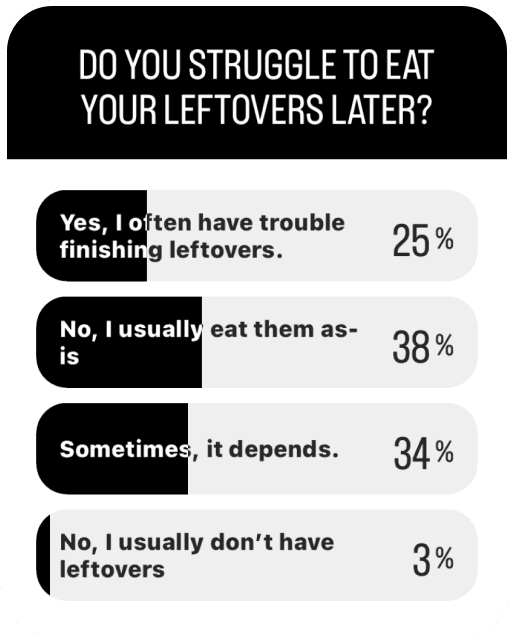
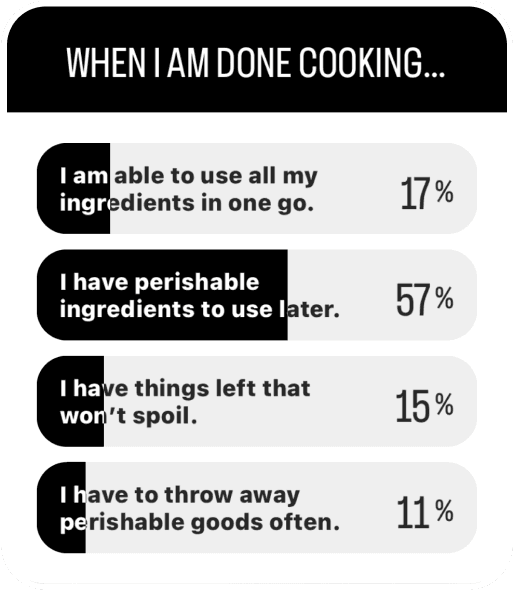
In the United States, up to 40% of the food supply is wasted, with roughly one-third occurring at the household level. Despite good intentions, everyday behaviors compound into a significant source of waste, including: over-purchasing, poor planning, and forgotten ingredients.
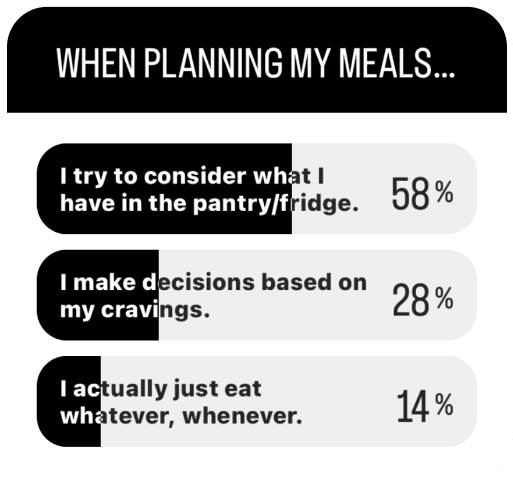
THE PROBLEM IS BEHAVIORAL, NOT JUST LOGISTICAL.
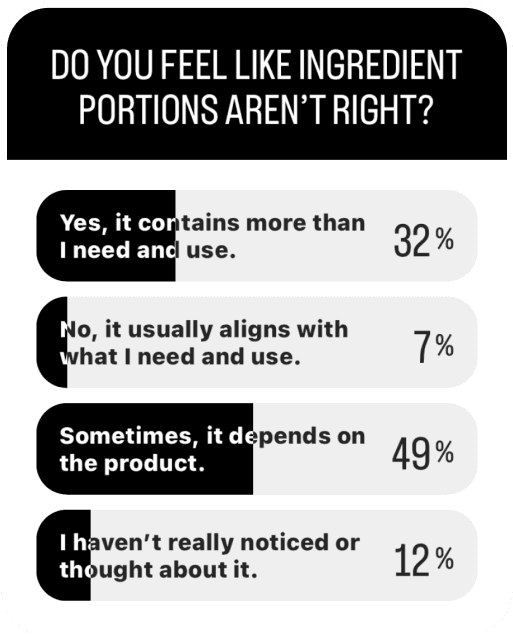
Grocery shopping is built on a one-size-fits-all model with excess ingredient portions, inconsistent expiration labels, and little planning support; leading to unused perishables, overlooked leftovers, and unnecessary waste.
OBJECTIVE
DESIGNING FOR BETTER & EASIER DECISIONS.
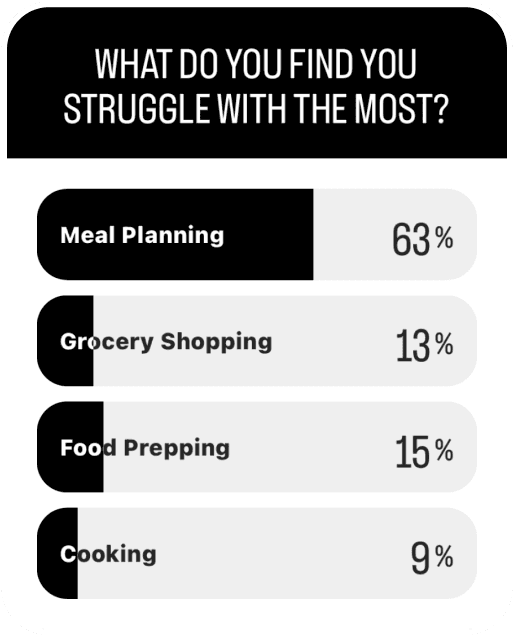
At its core, the issue is a lack of intentional meal planning. Without support, the process is time-consuming and mentally taxing, leading to wasted food and missed opportunities. By embedding AI into everyday decisions, this system reduces that burden, encouraging use of existing ingredients, improving inventory visibility, and supporting more intentional purchasing.


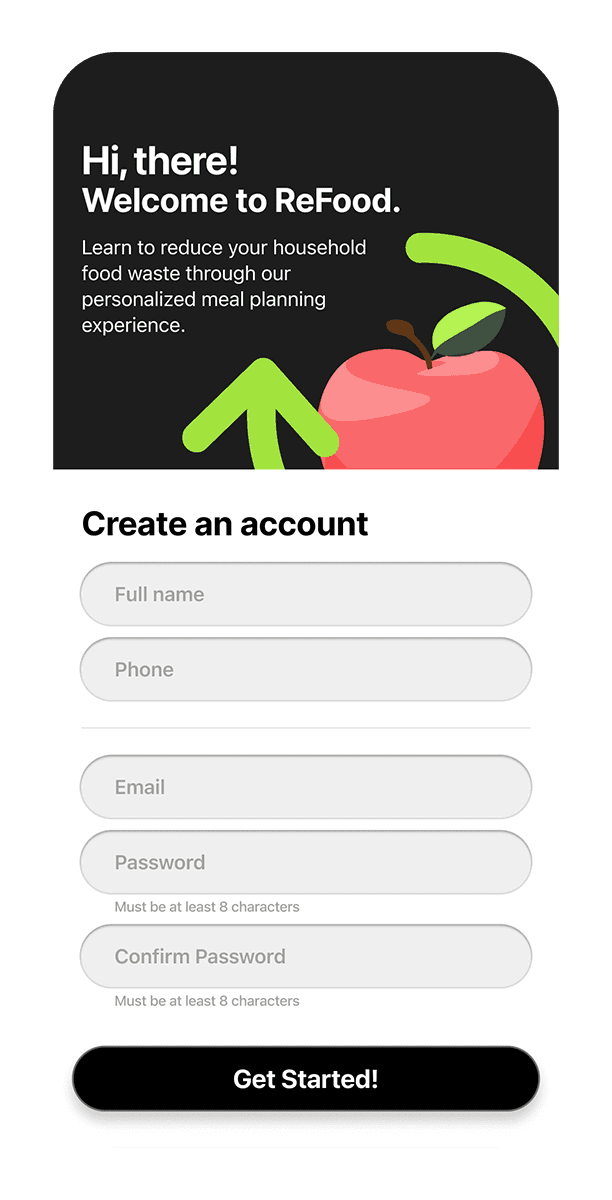
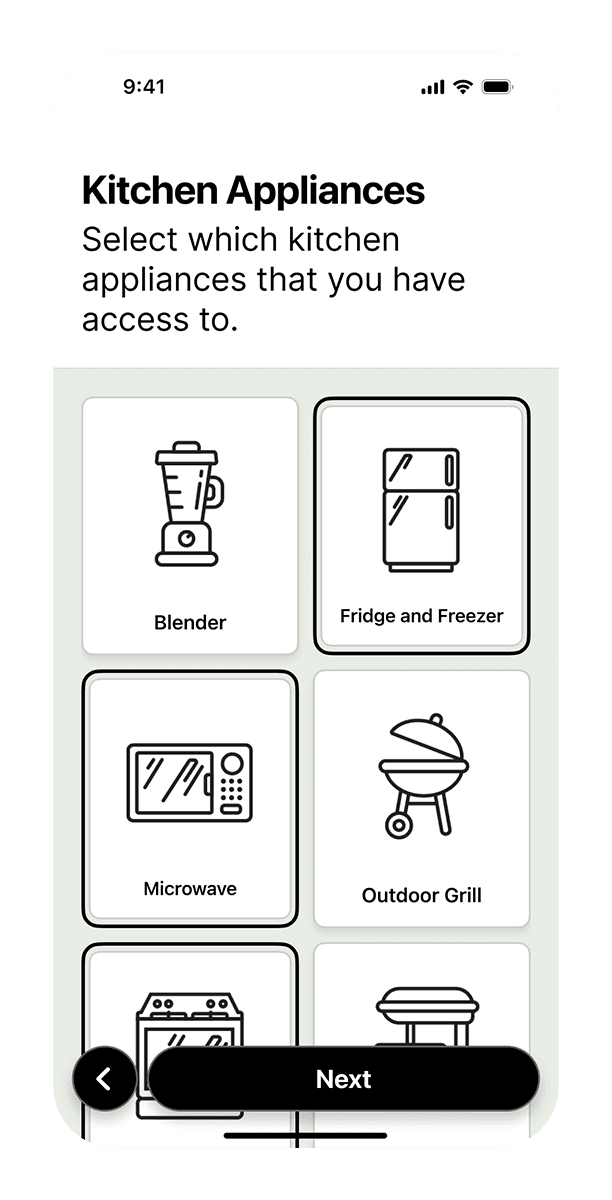
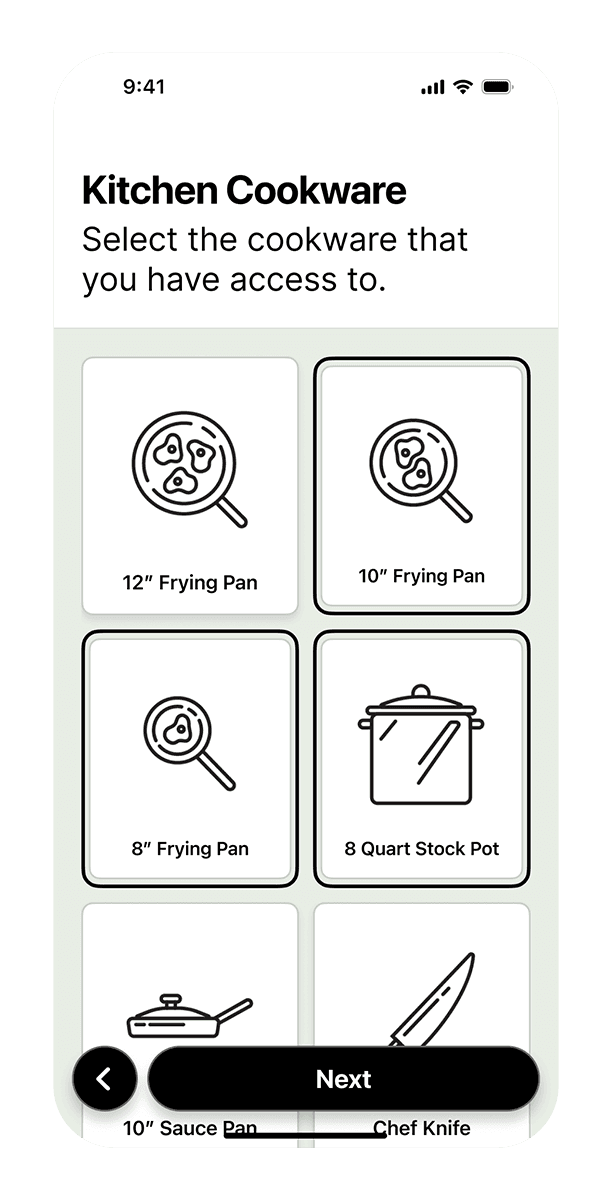
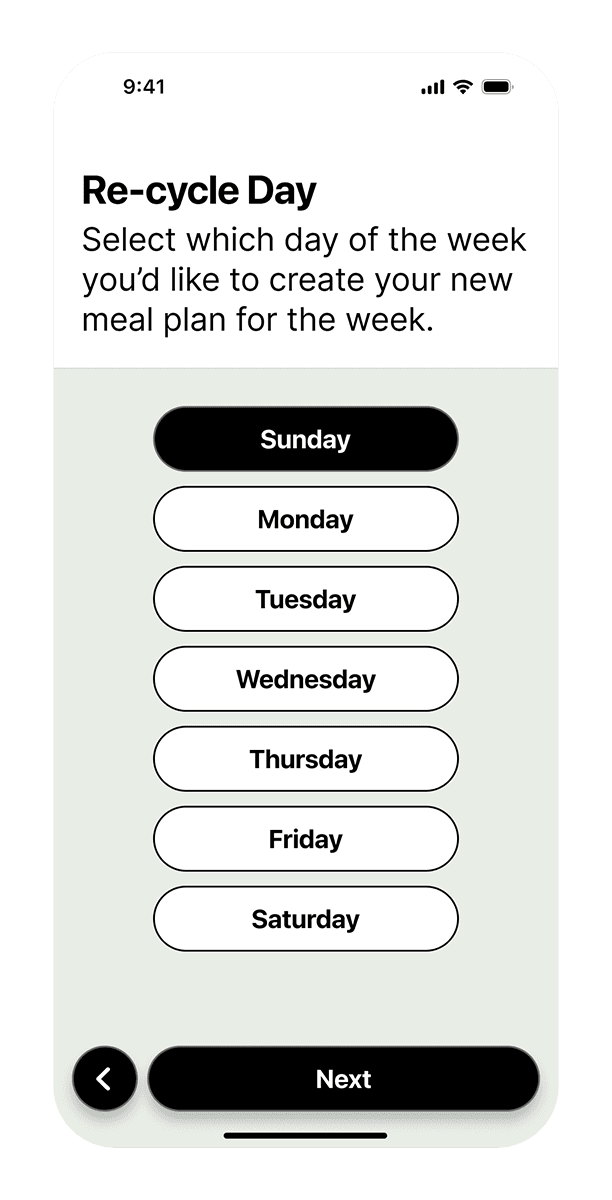
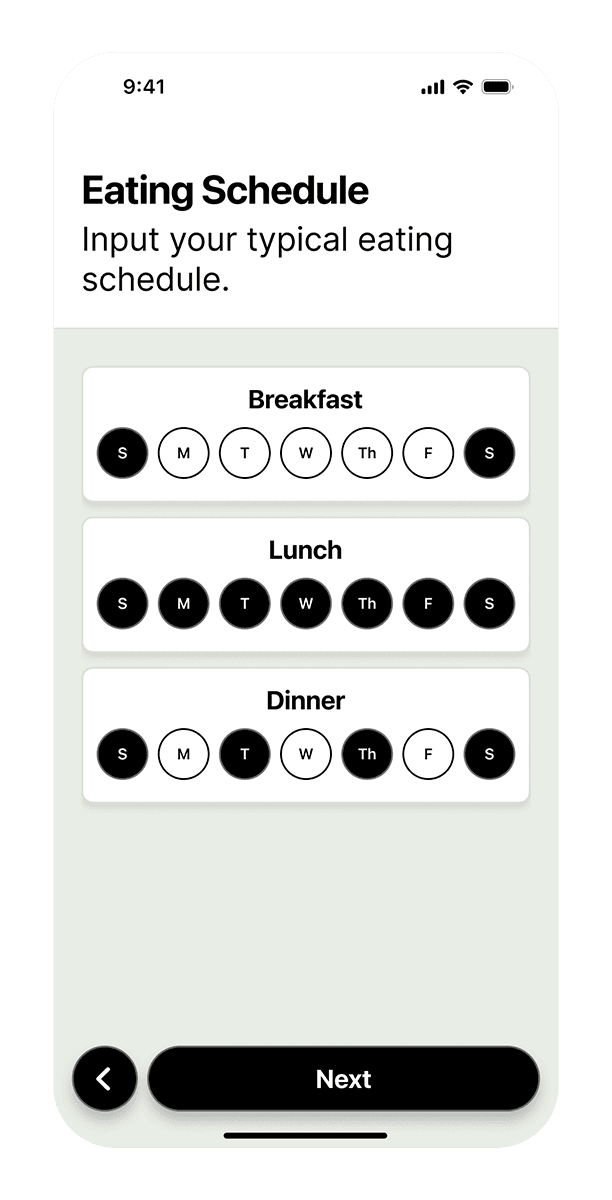
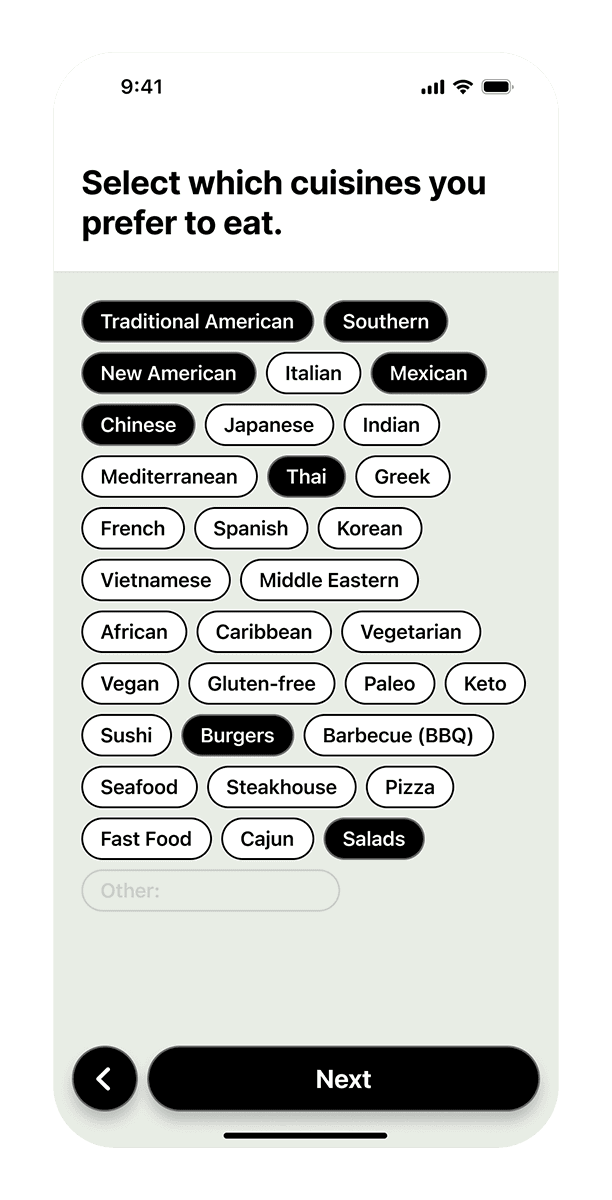
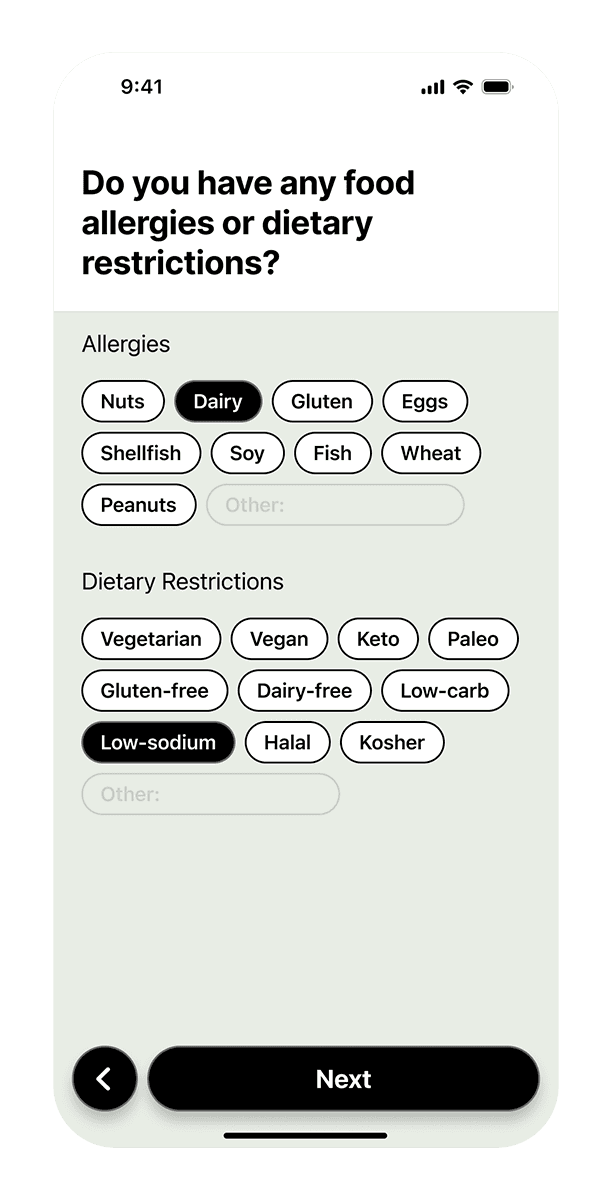
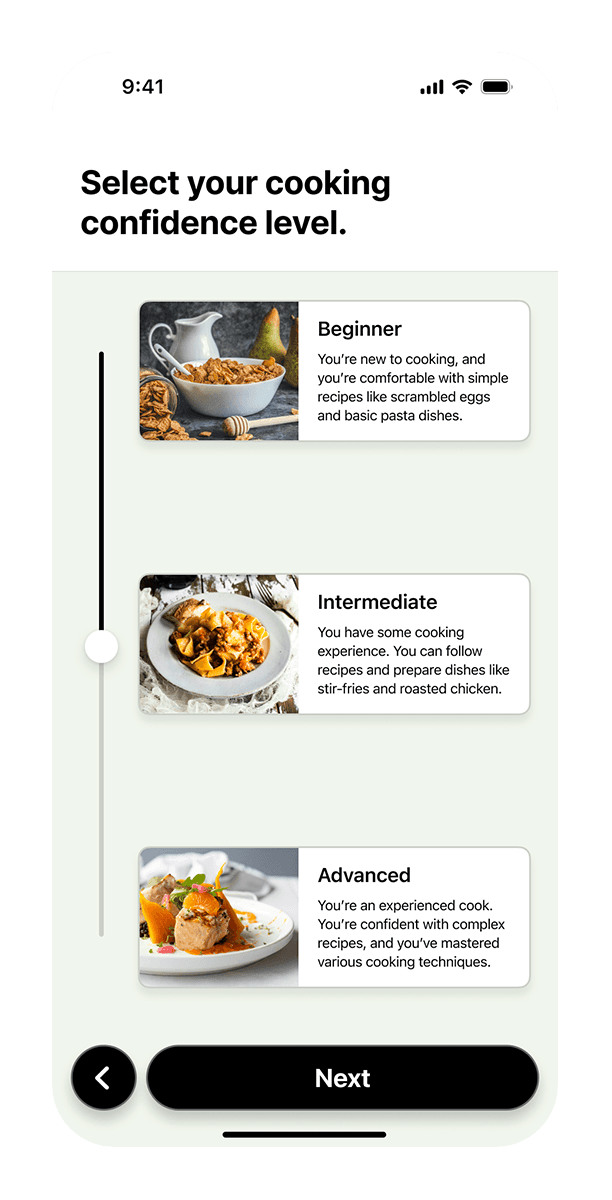

PERSONALIZED FROM THE START.
The experience begins with a guided onboarding flow that establishes a behavioral baseline. Users input information around cooking habits, consumption patterns, and available tools. This profile informs all future recommendations, allowing the system to adapt to individual needs over time.
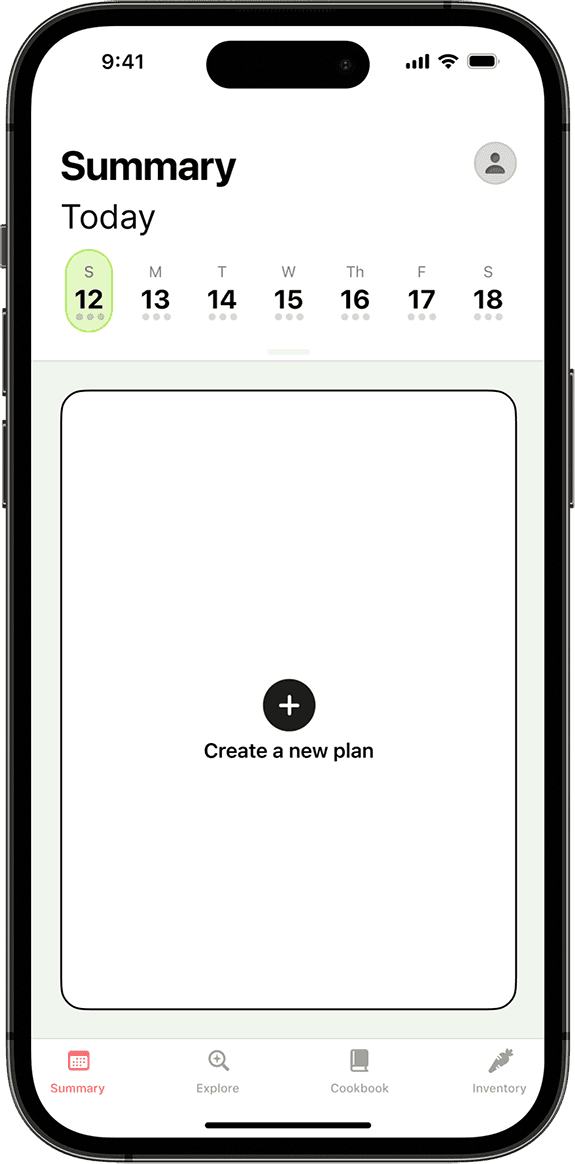
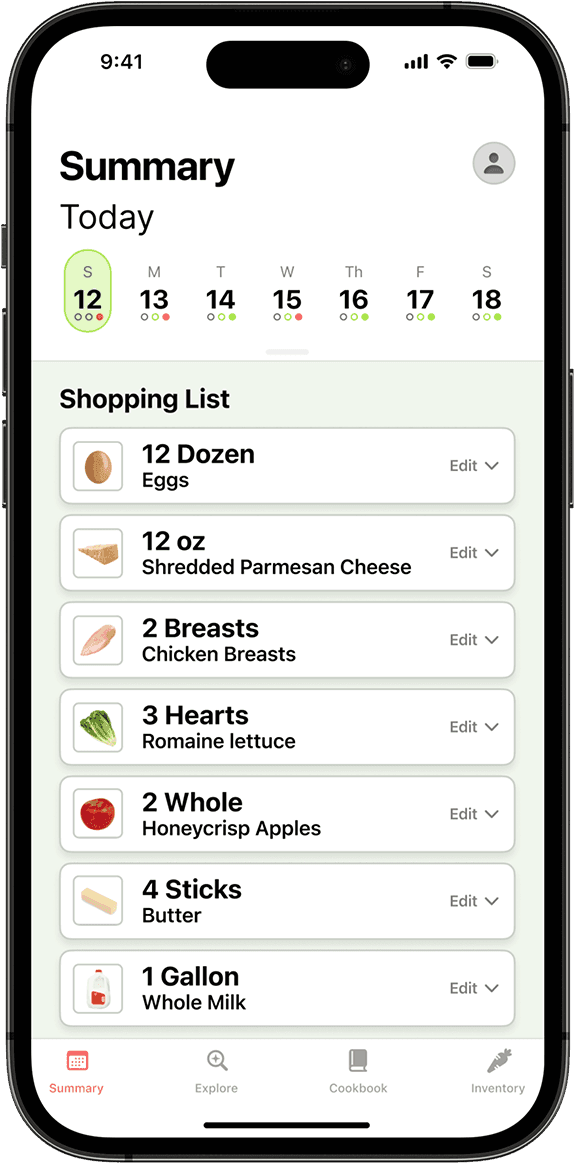
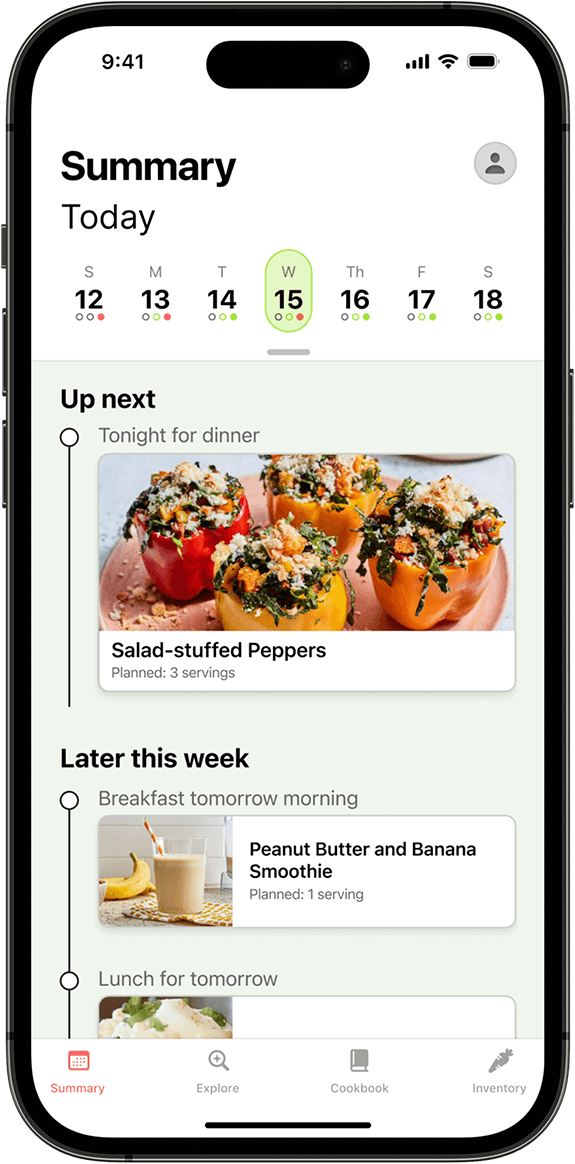
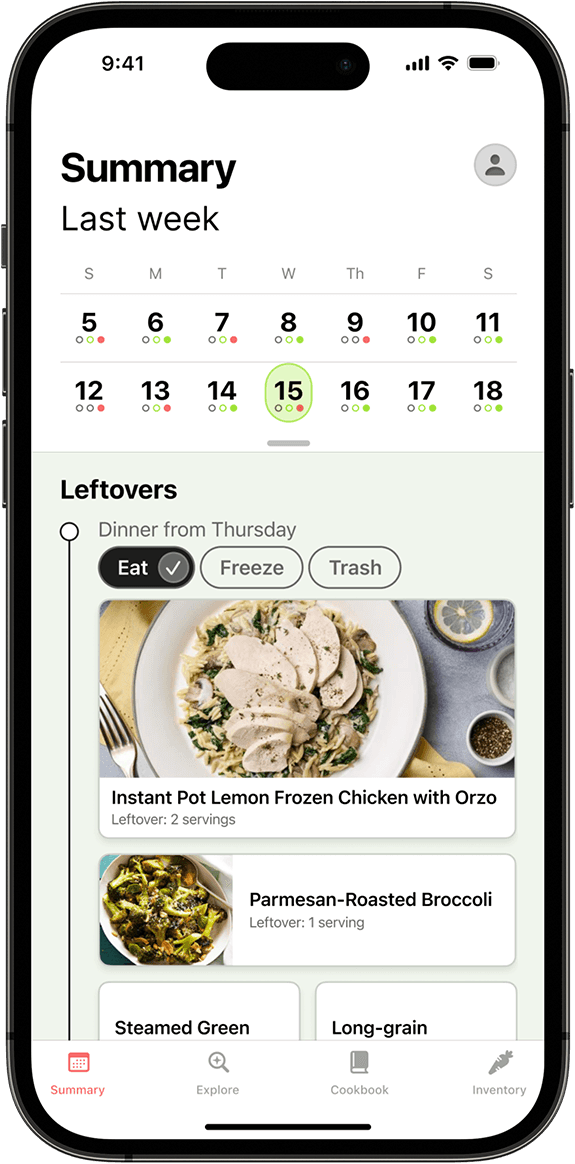
THE DYNAMIC SUMMARY THAT KEEPS UP WITH YOU.
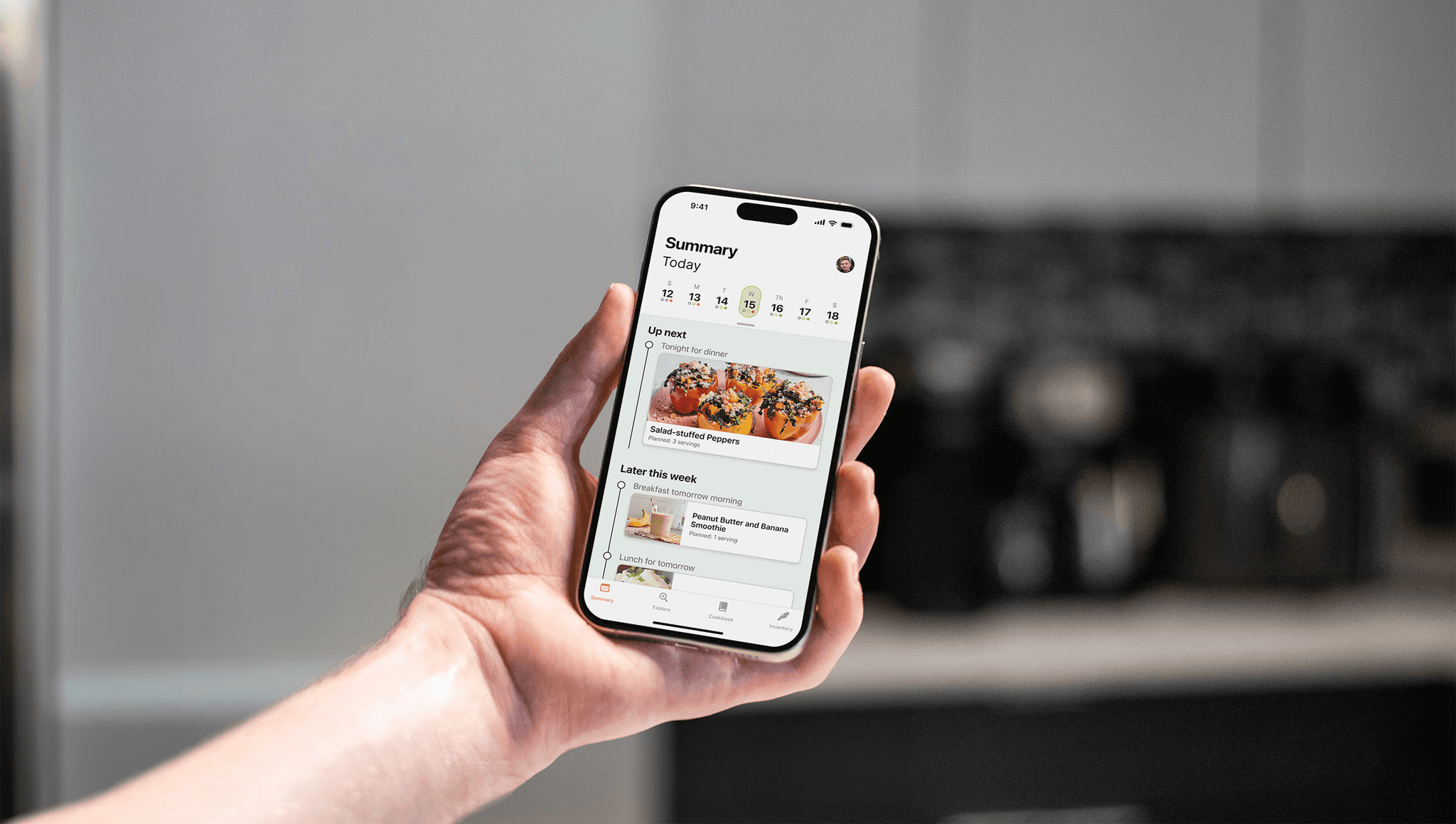
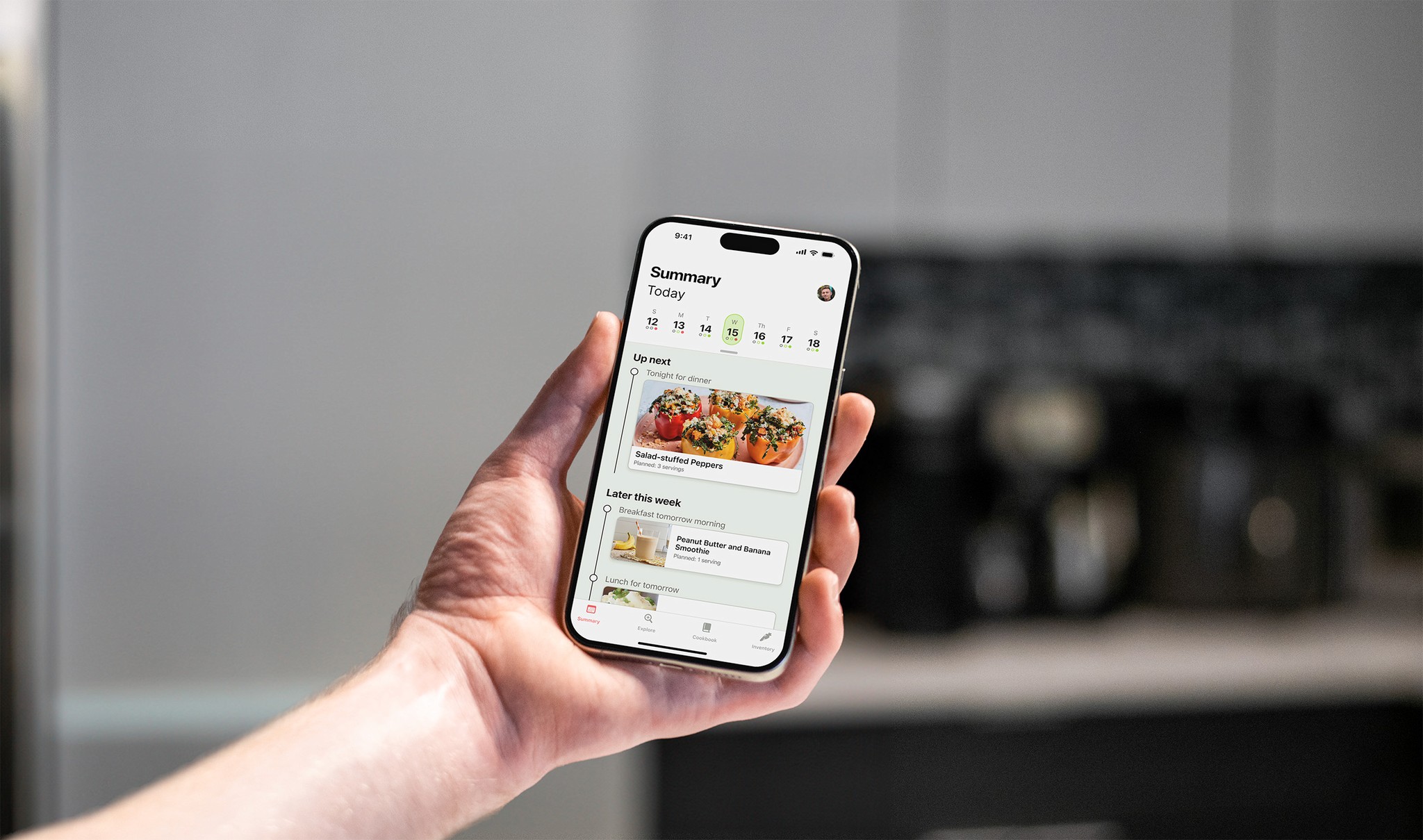
At the core of the experience is the Dynamic Summary that updates throughout the week, adapting in real time as the user progresses. It surfaces the most relevant actions, whether that’s planning meals, shopping for ingredients, or cooking with recipes.
STREAMLINING MEAL PLANNING.
Instead of starting from scratch, users are guided through a structured planning flow. Inputs such as meal count, time constraints, and leftover usage inform the system, which then recommends relevant meals, generates optimized shopping lists, and cross-references existing inventory. This is the bread and butter of the design; reducing the cognitive demand of the user by requesting the most relavent inputs into a complex decision-making model.

IMPORTING INVENTORY ITEMS WITH EASE.
Adding new items is a breeze with AI-powered object recognition. Utilizing the device's rear camera, the system identifies ingredients and automatically logs key attributes such as quantity, storage location, and estimated expiration.
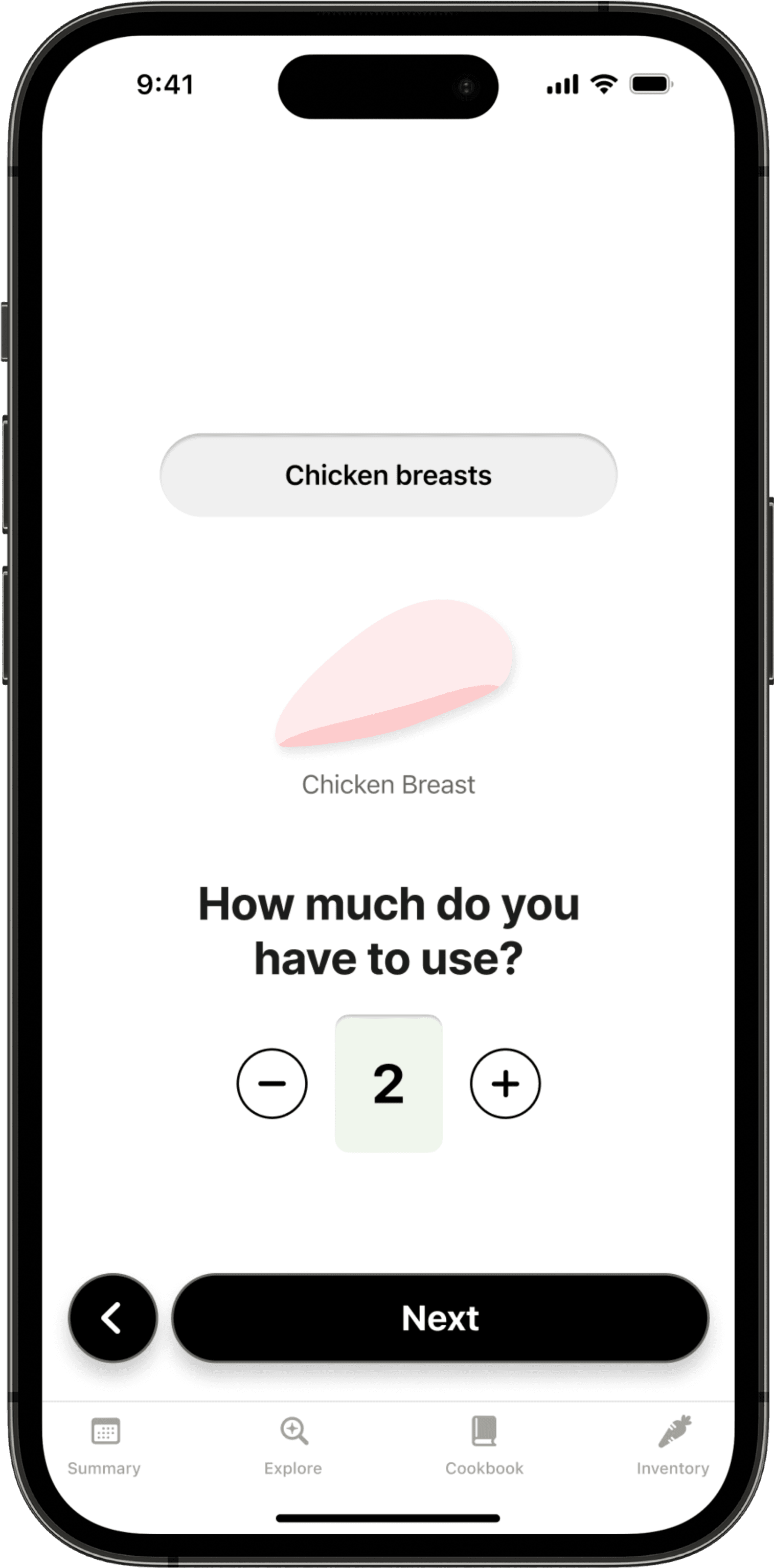
PLANNING.
Determined by meal selection. Informing the shopping list.
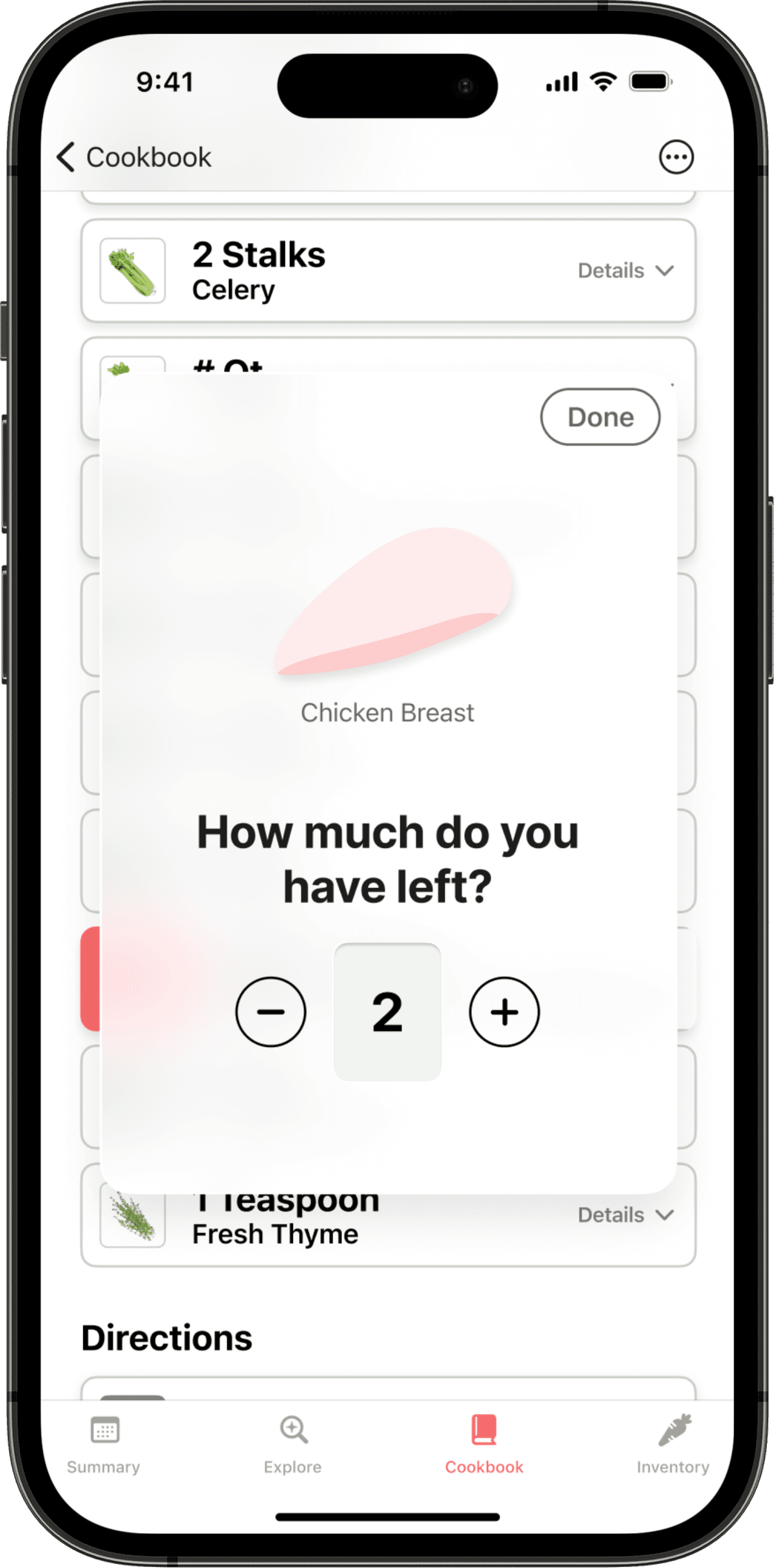
RECIPE.
Tracking left-over ingredients while cooking.
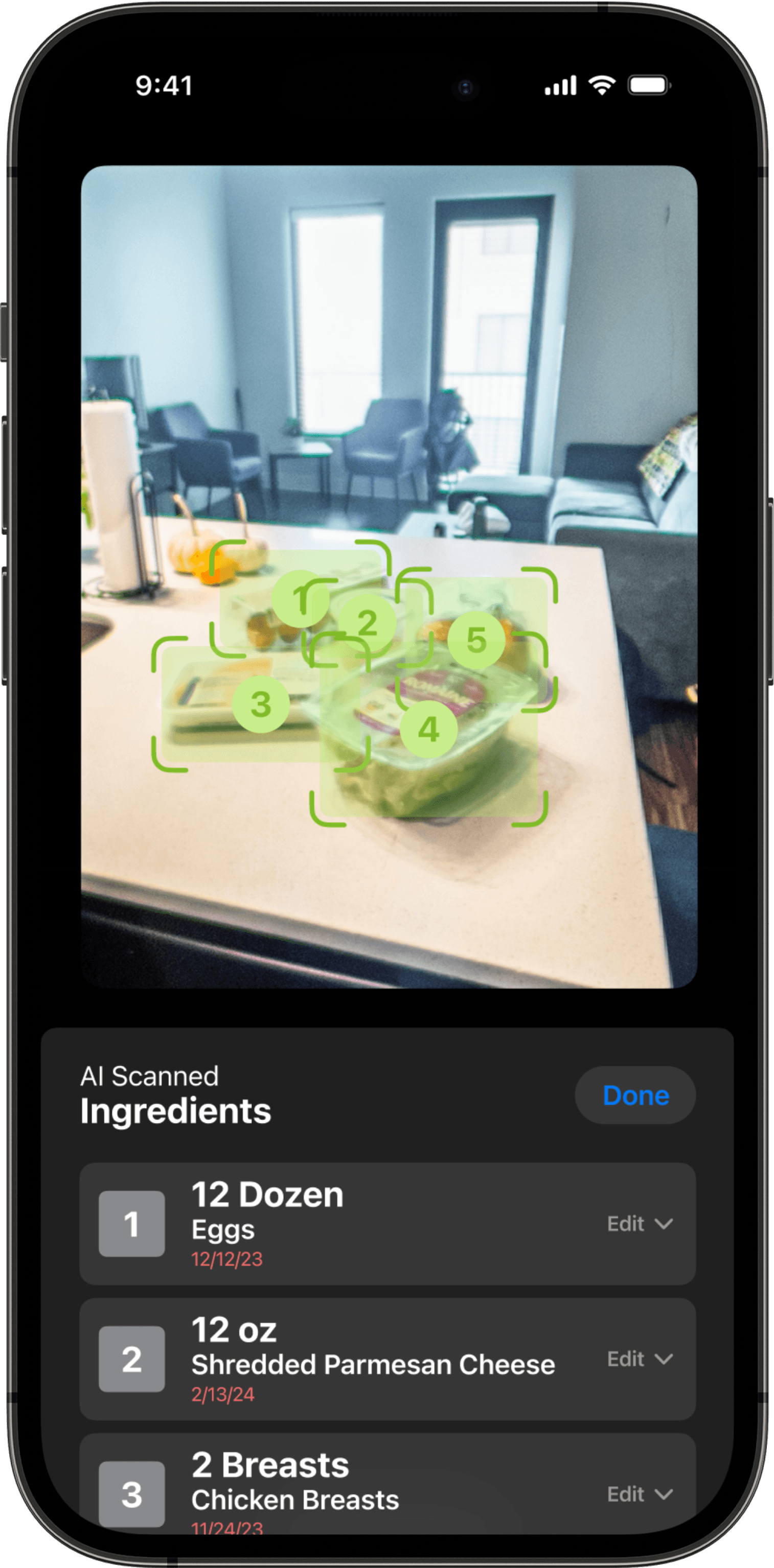
Inventory Check.
Utilizing the camera to ease inventory updates.
KEEPING TABS ON INVENTORY.
To maintain reliability, the system integrates lightweight checkpoints throughout the user experience to continously audit inventory levels. Whether during meal prep or planning, users are prompted to confirm or adjust quantities. Camera-based scanning can also be used for deeper inventory audits, ensuring the system remains up to date with minimal effort.
IMPACT
A FULL-STACK DESIGN.
Similar to my Kitchen Appliances project, this mobile app was a large undertaking. It marked my first full immersion into Figma to design the UI. But, through this process, I gained exposure to scalable component systems, state management, and designing for dynamic, AI-informed experiences. Conceptually, the integration of AI introduced a new layer of complexity, requiring me to define how the product anticipates user needs, reduces decision fatigue, and delivers meaningful, personalized value.